
The job record
Every job keeps its own history. Open a job from the Jobs tab and scroll to HISTORY to see everything that happened on it, in date order.
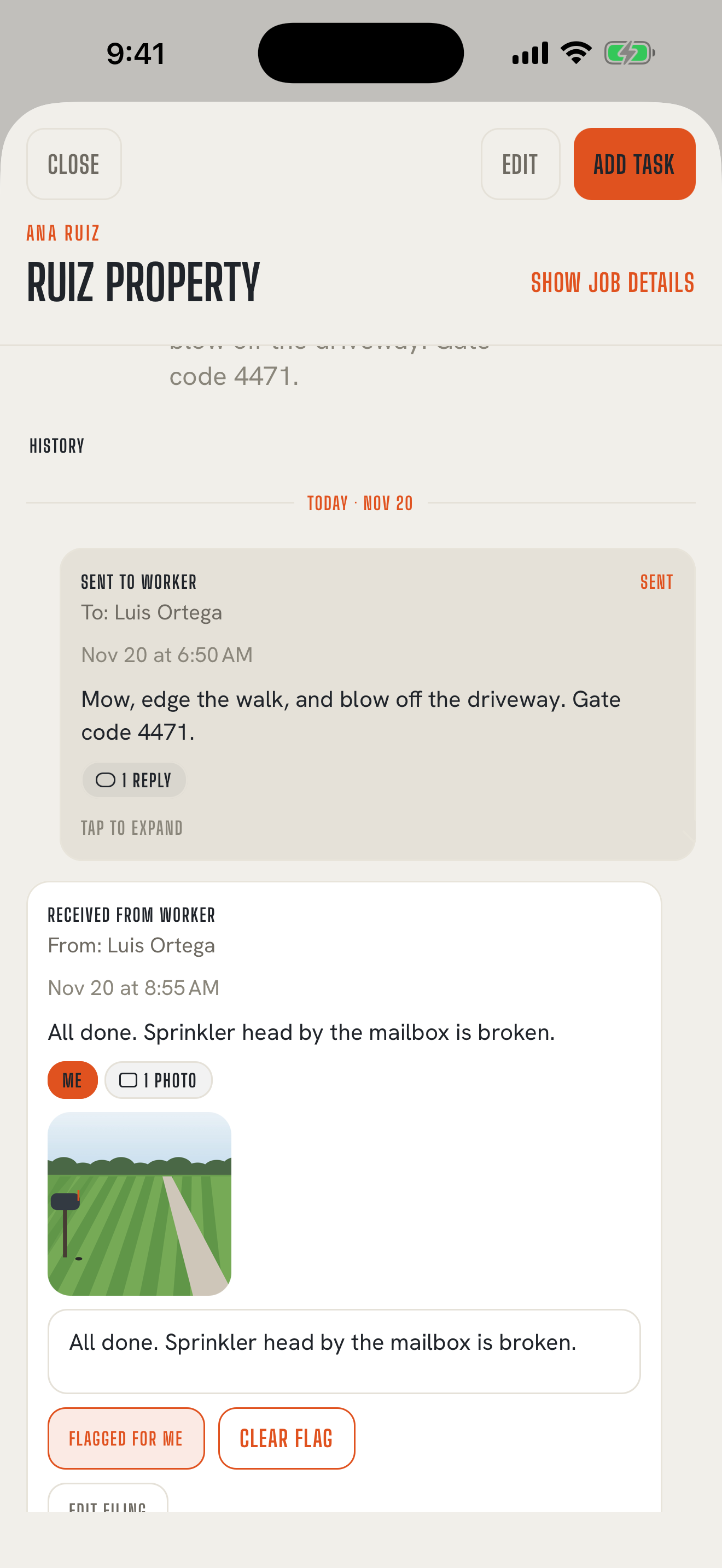
What's on a job's page
Back to contents- SCHEDULED: tasks that haven't gone out yet, plus upcoming recurring visits.
- HISTORY: everything sent and received on the job.
- CLOSED: tasks you've closed, with a count. Tap Show to see them.
What's in the history
Back to contents- SENT TO WORKER: each task text, who it went to, when, where it stands, and how many photos and filed replies go with it.
- CUSTOMER ALERT: each heads-up you sent the customer, and the days it covered.
- RECEIVED FROM WORKER and RECEIVED FROM CUSTOMER: each reply you filed, with its photos or videos and any note you added.
Day dividers break it up so it's easy to scan, and today is marked TODAY.
Look closer
Back to contentsTap any entry to expand it. Tap it again to collapse it.
- A sent task shows the full text and an Open task button. If it was translated, tap English or Worker to switch between what you wrote and what your worker received.
- A reply shows its photos and videos. Tap one to see it full screen, pinch to zoom, or play a video. Type in the Add a caption box to note what it shows.
- Edit filing moves a reply to a different job or person if it was filed wrong.
- Flag for me or Flag for team keeps the entry in your follow-ups. Follow-ups
Clean it up
Back to contentsSwipe left on any entry to archive or delete it, one at a time. Archived entries are hidden but kept; tap Show archived messages to see them again. Archive and delete
A person's history
Back to contentsEach worker and customer has their own history too. Open them in Workers or Customers to see every text you've sent them and every reply you've filed from them, across all jobs.
Why the record stays true
Back to contentsA job keeps the customer details from when it was booked, and every text you send keeps the name and number it went to. Rename a worker or change a customer's address, and the old records still show what was true at the time. That's what makes the record worth keeping.