
Everything TextMyTask does
Built for the owner who has helpers. You run the app. Your crew just texts.
Plan the work
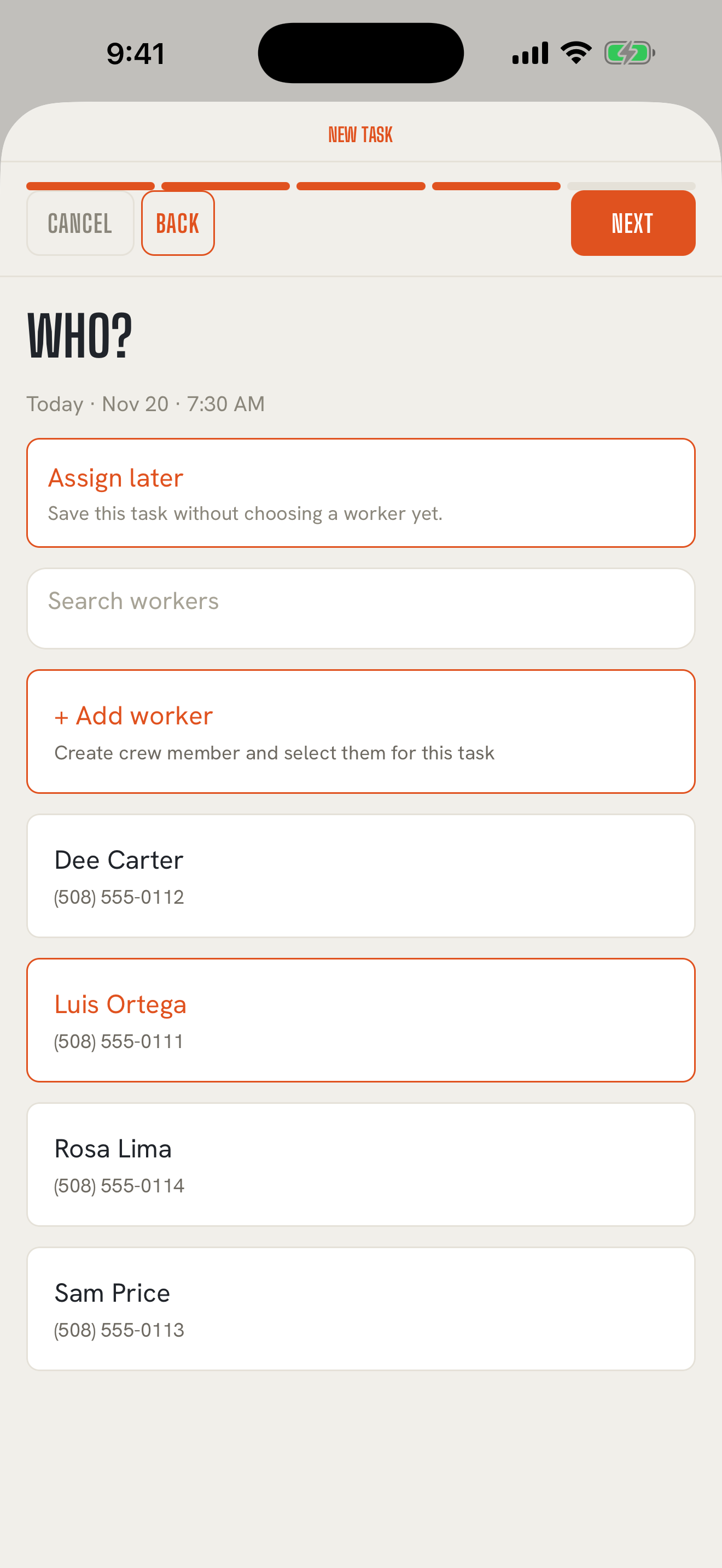
Back to contentsA board for the whole week. The Plan tab lays out your days, each with its tasks and who's on them. Scroll ahead as far as you need, or jump to any date with the calendar button.
Jobs and customers. Keep each customer's name, phone, email, address, preferred language, and notes in one place. Every job carries its customer, so searching Jobs for a customer's name brings up all their work.
Tasks, with or without a name on them. Put a task on the board the moment the customer calls, and decide who's doing it later. A task with no one on it waits as Unassigned until you're ready. Each task on the board shows where it stands: Unassigned, Assigned, Sent, or Closed.
Recurring jobs. Weekly mows, every-other-week cleans. Pick Weekly or Biweekly, set the day once, and each visit shows up on the board. Skip a week or move one visit without touching the rest.
Standing instructions. Gate codes, where the key is, "keep the cat in." Write it once on the job and it fills in every recurring visit.
A default crew. Give a recurring job the people who usually work it, and they're already picked when you send.
Send it as a real text
Back to contentsFrom your own number. On Core, every task opens in your iPhone's Messages app, filled in and ready. You tap send. Your people see a text from you, the same as always.
All the details, your choice. Add the day and time, the address, the customer's name, their phone, and the job notes to the text with a switch each. Everything starts switched on except the customer's phone, and you can preview the text before it goes.
Photos and videos. Attach up to five photos or videos to a task: the spot to dig, the paint color, the panel location.
Edit and resend. Plans change. Edit the task and send it again. Every version you sent stays on the record.
Send and receive right in the app, if you want to. With Pro, texts go out from inside TextMyTask on a dedicated Pro number registered with the carriers for your business, and replies come straight back in, with a notification when one arrives. Each text shows whether it's Sending, Sent, or Not delivered, and you can answer a reply right from the app. More about Pro
Replies stay with the job
Back to contentsYour crew answers however they like. A photo, a word, a question, or nothing at all.
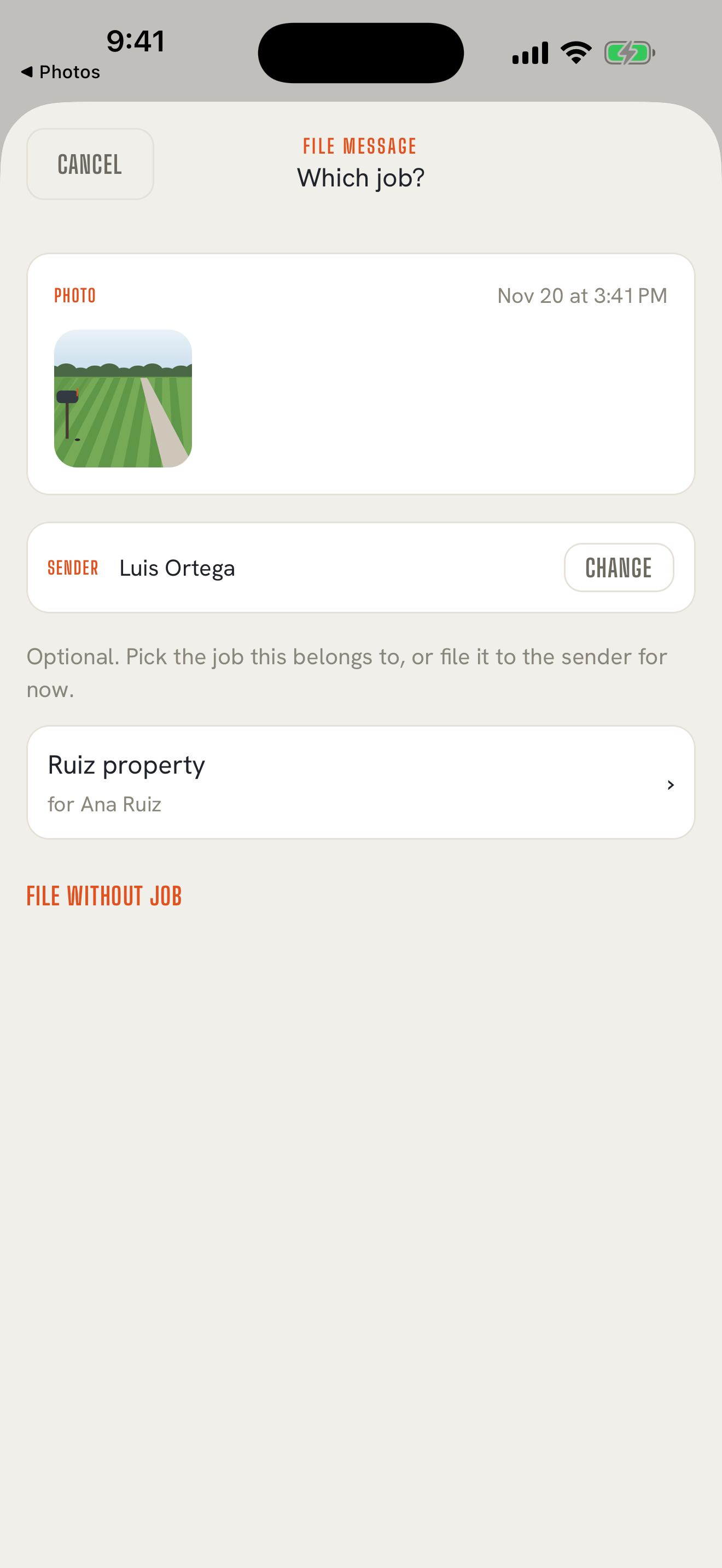
File it in a few taps. On Core, share a reply from Messages into TextMyTask, pick who sent it and which job it belongs to, and it lands in that job's record. Not sure of the job yet? File it to the person and connect a job later. On Pro, replies arrive in the app already matched to the sender. TextMyTask suggests the last job you sent them, and you choose whether to file it there.
Several photos stay together. On Pro, when someone sends a batch of photos in one text, they arrive together as one reply.
Notes and follow-ups. Add a note to a reply when it needs one. Flag a reply, a sent task, or a customer update Flag for me or Flag for team, and it waits under Follow-ups on the Plan tab until you clear it.
The record keeps itself in order
Back to contentsEvery job has a history. What you sent, what came back, and what you told the customer, in date order, with photos you can open full screen.
Search. Find a job, a customer, a worker, or a message from the search field at the top of each list. Search jobs by job or customer name, people by name, phone, or email, and messages by what they say.
You close the task. TextMyTask never reads a reply and decides the work is finished. You close each task yourself with Close task, whenever you decide. Closed tasks stay on the job, and Reopen task brings one back.
Speak your crew's language
Back to contentsEnglish to Spanish, on your phone. Set a worker's language to Spanish and their task texts are translated before they go out. Customers set to Spanish get their heads-ups in Spanish too. You can switch between the English and the Spanish to check both before you send, and you can turn Spanish translation on for any single send. Translation runs on your iPhone using Apple's built-in translation, at no extra cost. Requires iOS 18 or later.
Keep your customer in the loop
Back to contentsCustomer heads-ups. Pick the days of work and TextMyTask drafts a short note to the customer: which days, what time, and what work is planned. You review it, change anything you like, and send it.
Written for you on newer iPhones. On iOS 26 with Apple Intelligence turned on, the draft is written right on your phone by Apple's on-device model. On other phones you get a clean draft built from your schedule. Either way, nothing goes out until you send it.
Your records, your call
Back to contentsArchive and delete, one item at a time. Archive tucks something away and keeps it. Delete moves it to Recently Deleted for 30 days in case you change your mind. Deleting a customer or worker leaves their jobs and past texts on the record. Deleting a job takes its tasks, messages, and photos with it, and restoring the job brings them back.
Records that stay true. A job keeps the customer details from when it was booked, so changing a customer's address later doesn't rewrite last year's jobs.
Kept on your iPhone. On Core, your records live on your phone. Keep your iPhone backed up to iCloud or your computer and your records are backed up with it. How your data is kept
Charge the owner, not the crew
Back to contentsOne subscription. You pay for TextMyTask. Your crew pays nothing and signs up for nothing, and adding people never changes your price.
Nothing ripped out. Your crew keeps their phones, their texting app, and their habits. You keep your number. TextMyTask fits around how you already work.